AWSAzureBetaGCPBetaOne inventory for all three
Google Cloud and Azure are in beta, on request.
Every cloud asset, in one quiet place.
AssetHermit keeps one searchable, read-only inventory of your AWS, Azure and GCP assets, with a full change history, findings from 141 audit rules, and cost reports.
No card needed. Read-only and keyless: we never change your cloud.
| Name | Cloud | Region | Account | Cost, month |
|---|---|---|---|---|
| checkout-api-1 | AWS | eu-north-1 | shop-prod | $182.40 |
| search-indexer | GCP | europe-north1 | search-prod | $241.87 |
| ledger-worker | Azure | westeurope | payments-prod | $96.12 |
| checkout-api-2 | AWS | eu-north-1 | shop-prod | $182.40 |
| batch-runner-7 | AWS | us-east-1 | data-prod | $64.02 |
| vpn-gateway | Azure | northeurope | network-prod | $38.50 |
Why AssetHermit
What do we run, where, and what changed since Tuesday?
Each cloud shows its own resources, one account, subscription or project at a time. So the question above takes an afternoon of console tabs, and the answer is out of date by the time you have it.
Forgotten resources turn into cost leaks and security gaps. AssetHermit gives platform, cloud and security teams one place to see everything, what's wrong with it and what it costs, without a CMDB team or three native tools stitched together.
Product
Your whole estate, searchable in one screen
Connect your clouds once. AssetHermit keeps the inventory, the history, the findings and the costs up to date.
Search every cloud at once
One query language for AWS, Azure and GCP. It completes properties and values as you type, or you build the query in a form.
Every property of every type
Each resource type has a view with every property its cloud returns as a column. Start from ready-made views, and export any result as CSV.
Full change history
Every create, change and delete is recorded, so you can see what changed on any asset, and when.
141 audit rules
Rules run after every sync and find public buckets, open ports, unencrypted disks and more. Each comes with a guide to fix it.
Cost reports
Cost by account, service, region, tag, asset group and asset, from your clouds' own cost exports, refreshed daily.
Savings and anomalies
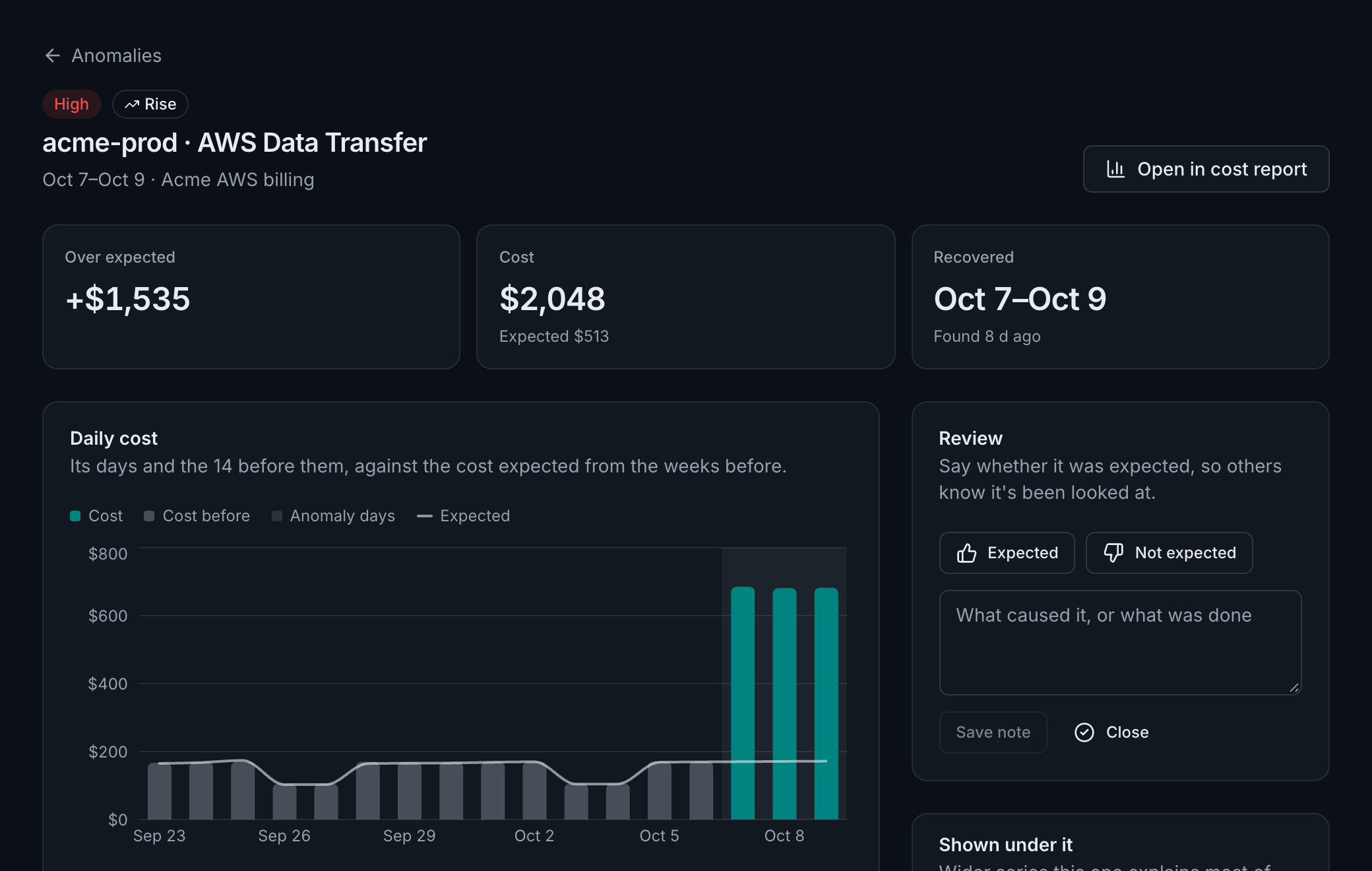
Unused volumes and addresses priced from your own bill, and every unusual rise or fall in daily spend, with what drove it.
Asset groups
Name a set of assets by a query, such as Production or Payments team, and narrow the inventory, findings and costs to it.
Ask in plain words
The AI assistant turns a question into a query, or answers it from your inventory, costs and findings, showing what it read.
Told when it matters
Alerts when a sync can't read your cloud, and notices when findings open or spend jumps, in your inbox, by email.
Search and findings
Ask any question of your estate
The same query language drives the search bar, asset groups and the audit rules, so a rule's findings are one click from the inventory.
A question is a query
$ marks the properties every cloud shares. Anything else is a path into the data the cloud returned.
$type:compute.vm $tag:env=prodProduction virtual machines, on every cloud$type:storage.bucket -$tag:ownerBuckets and storage accounts without an owner tag$nativeType:aws/ec2/instance metadataOptions.httpTokens:optionalEC2 instances that still allow IMDSv1$firstSeen:>now-7d order by $firstSeen descEverything new this week, newest first
Rules that run after every sync
A finding stays open until a sync no longer matches it. Each rule's guide says why it matters, when it's fine, and the command that fixes it.
- AWS89 rules
- GCP23 rules
- Azure29 rules
- AWSBucket policy allows public accessCritical
- GCPBigQuery dataset is publicCritical
- AzureNetwork security group opens SSH or RDP to the internetCritical
- AWSAll traffic and ports are open to 0.0.0.0/0High
- GCPCloud SQL instance accepts connections from anywhereCritical
- AzureAKS API server is reachable from any addressHigh
Costs
What it costs, and why it changed
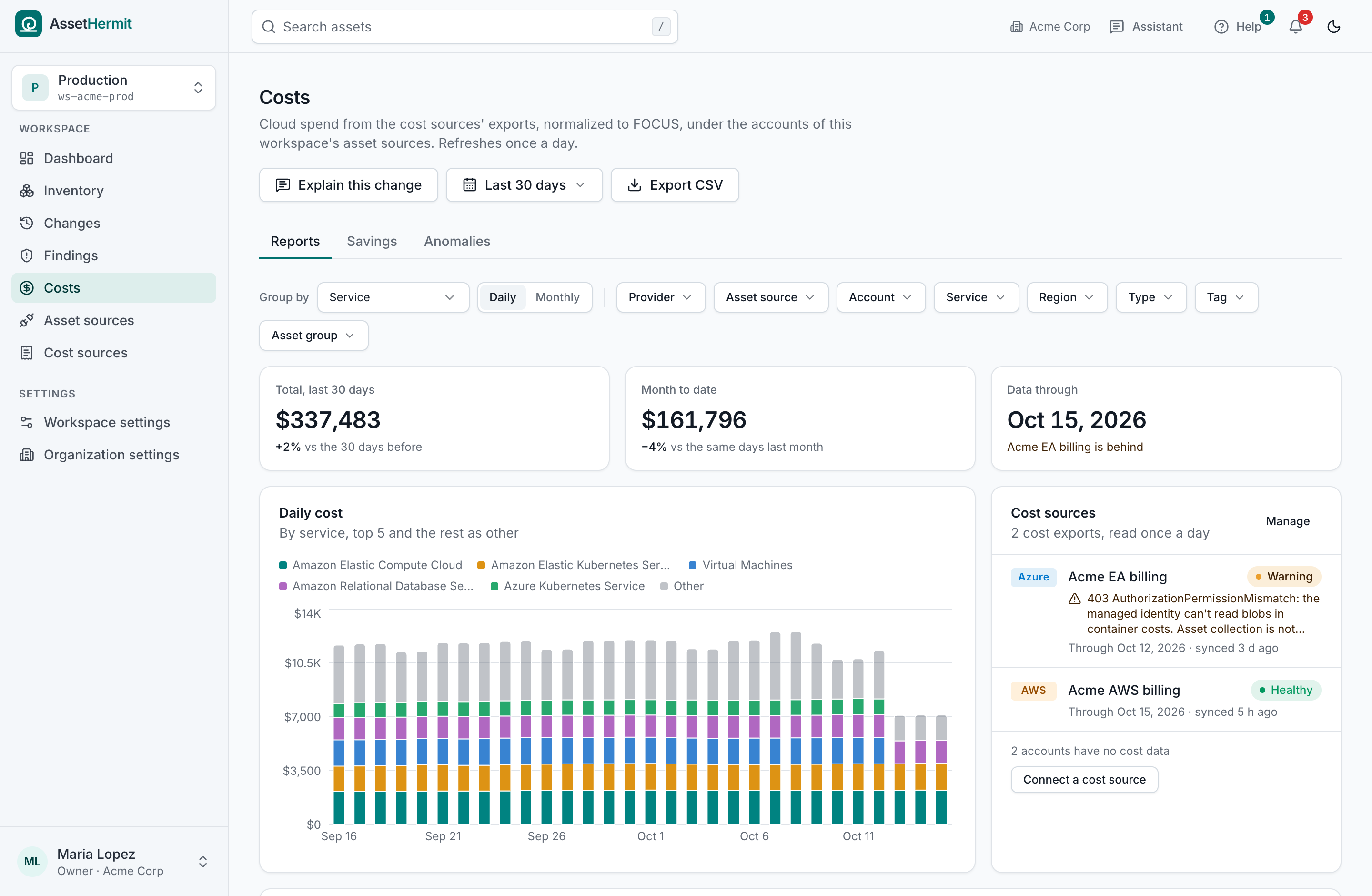
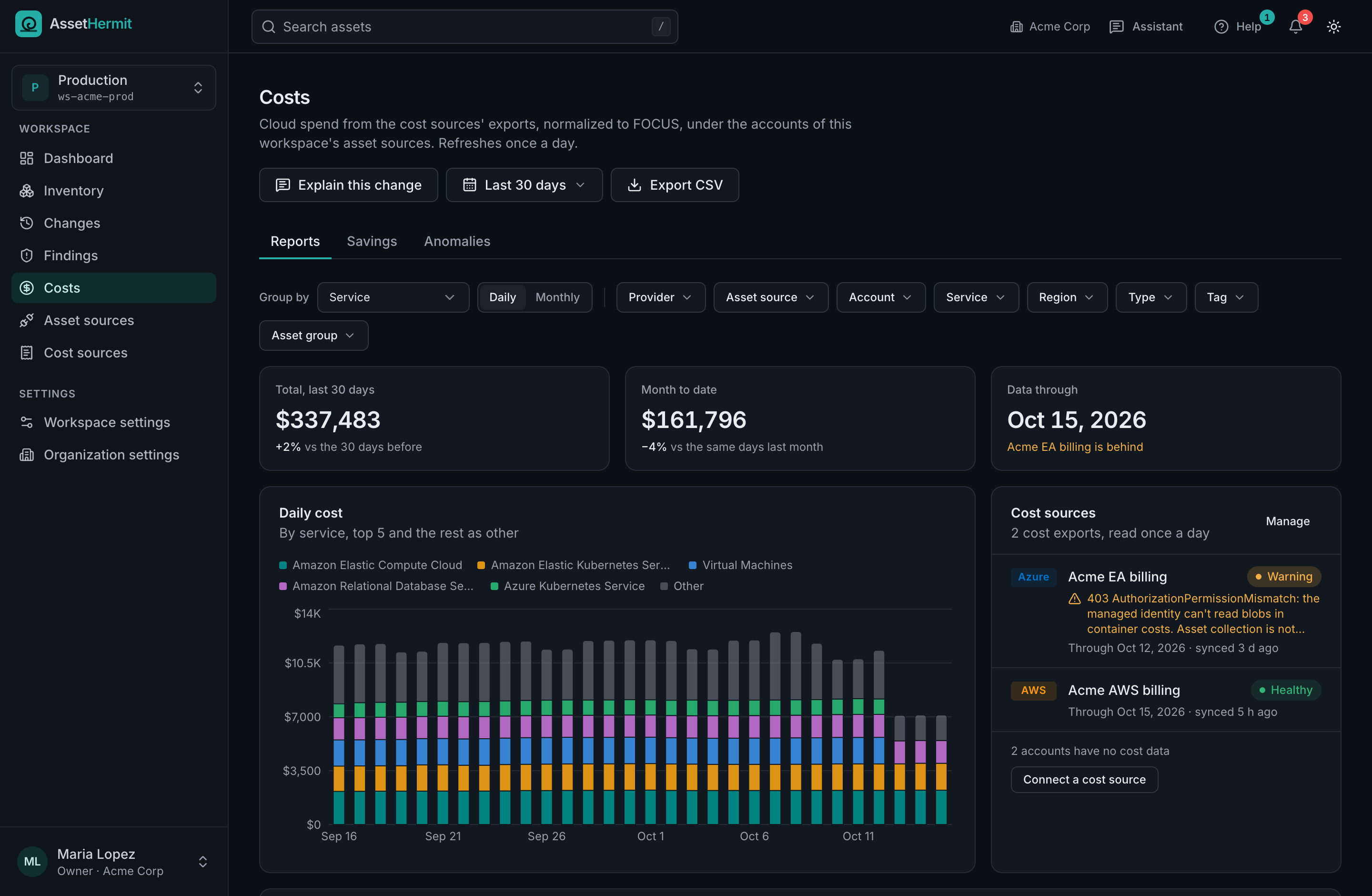
Cost comes from your clouds' own cost exports, normalized to FOCUS and linked to the accounts and assets in your inventory. Group it by service, account, region, tag, asset group or asset.
Savings, priced from your own bill
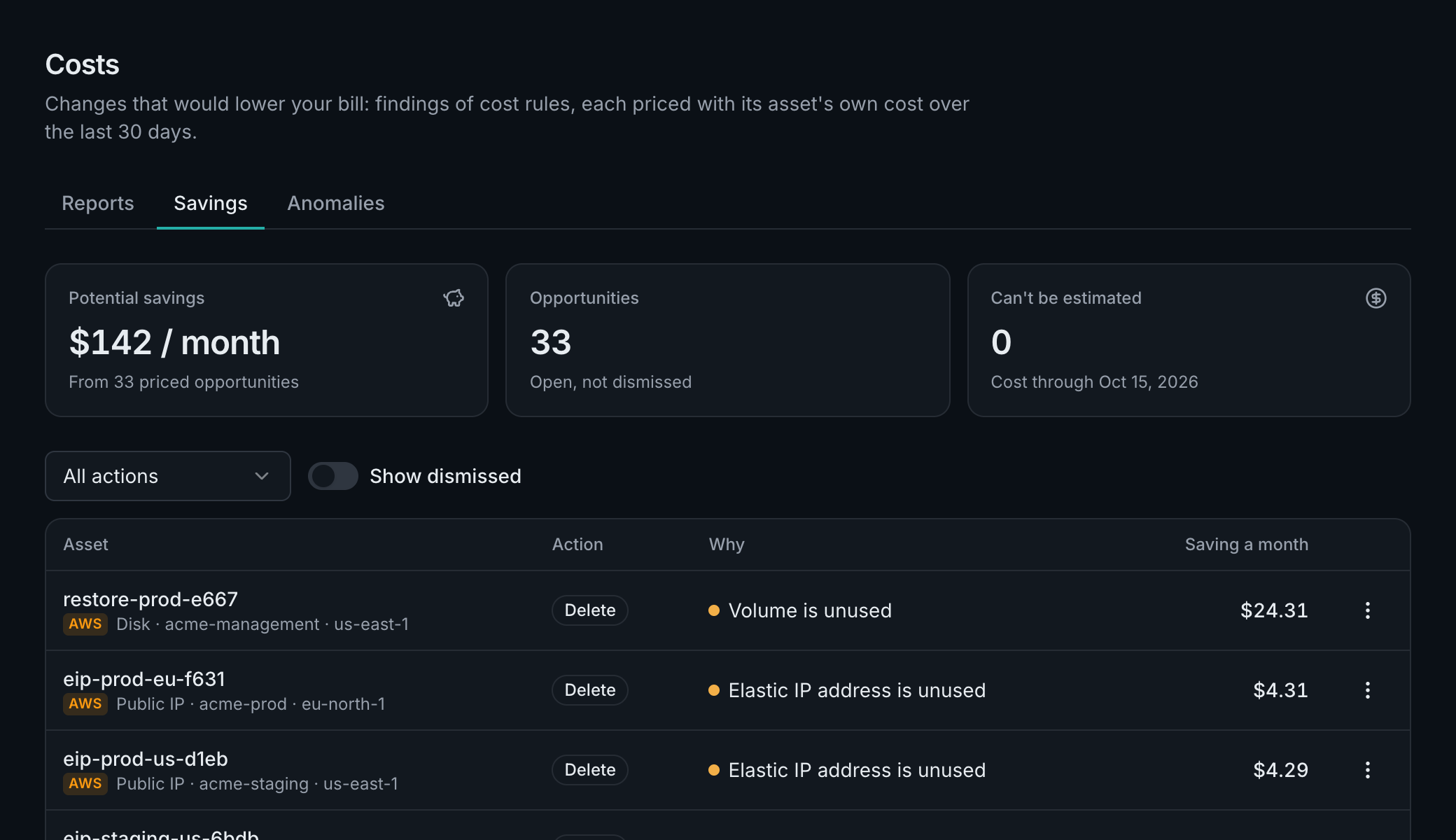
Unused disks, idle addresses and old snapshots, each with what it cost you over the last 30 days. Never a list price.
How savings work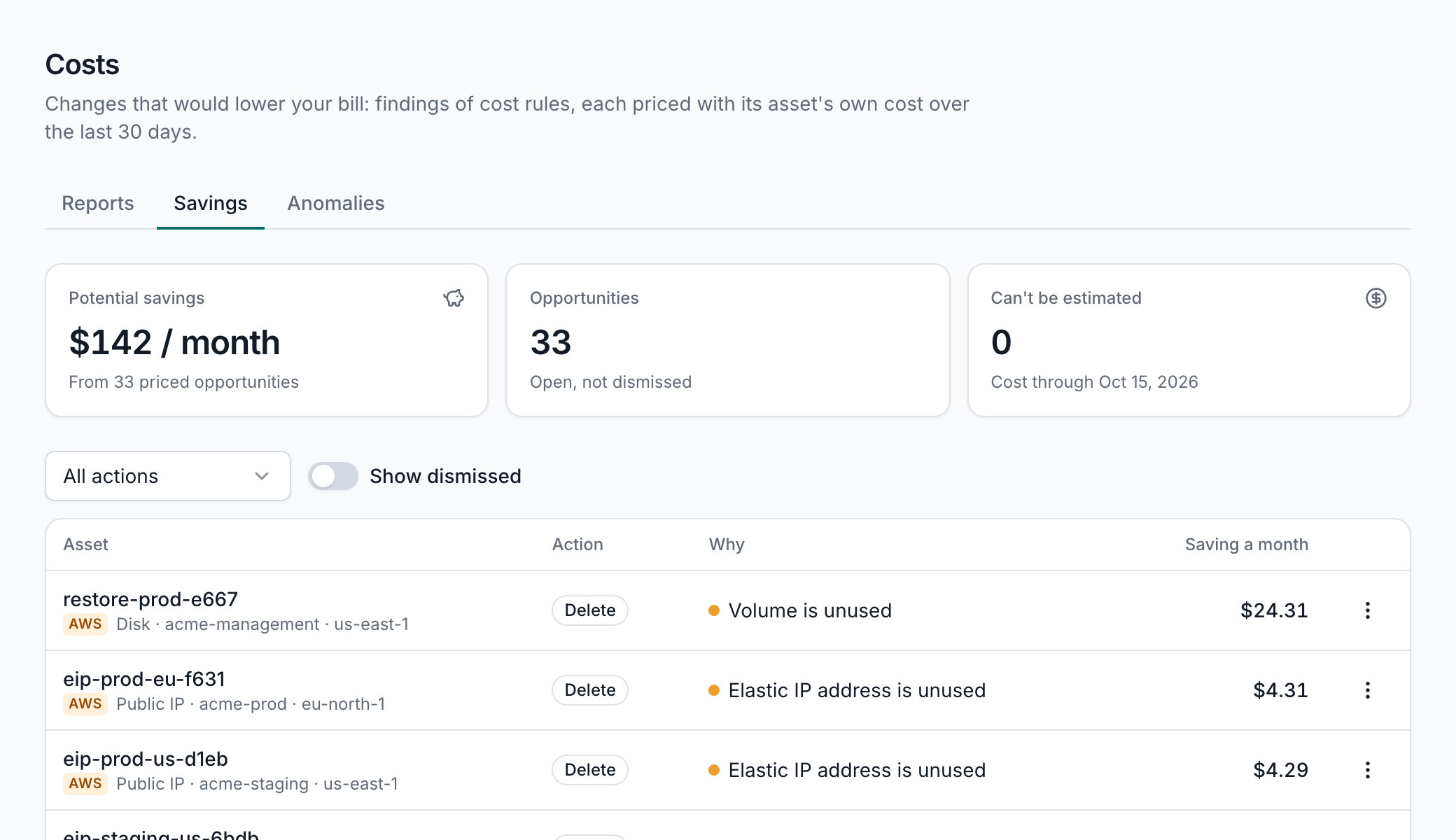
Anomalies, with where the money went
After every cost sync, each account and service is checked for days well above or below what its own weekly pattern expects. Mark each one expected or not, so others know it's been looked at.
How anomalies are found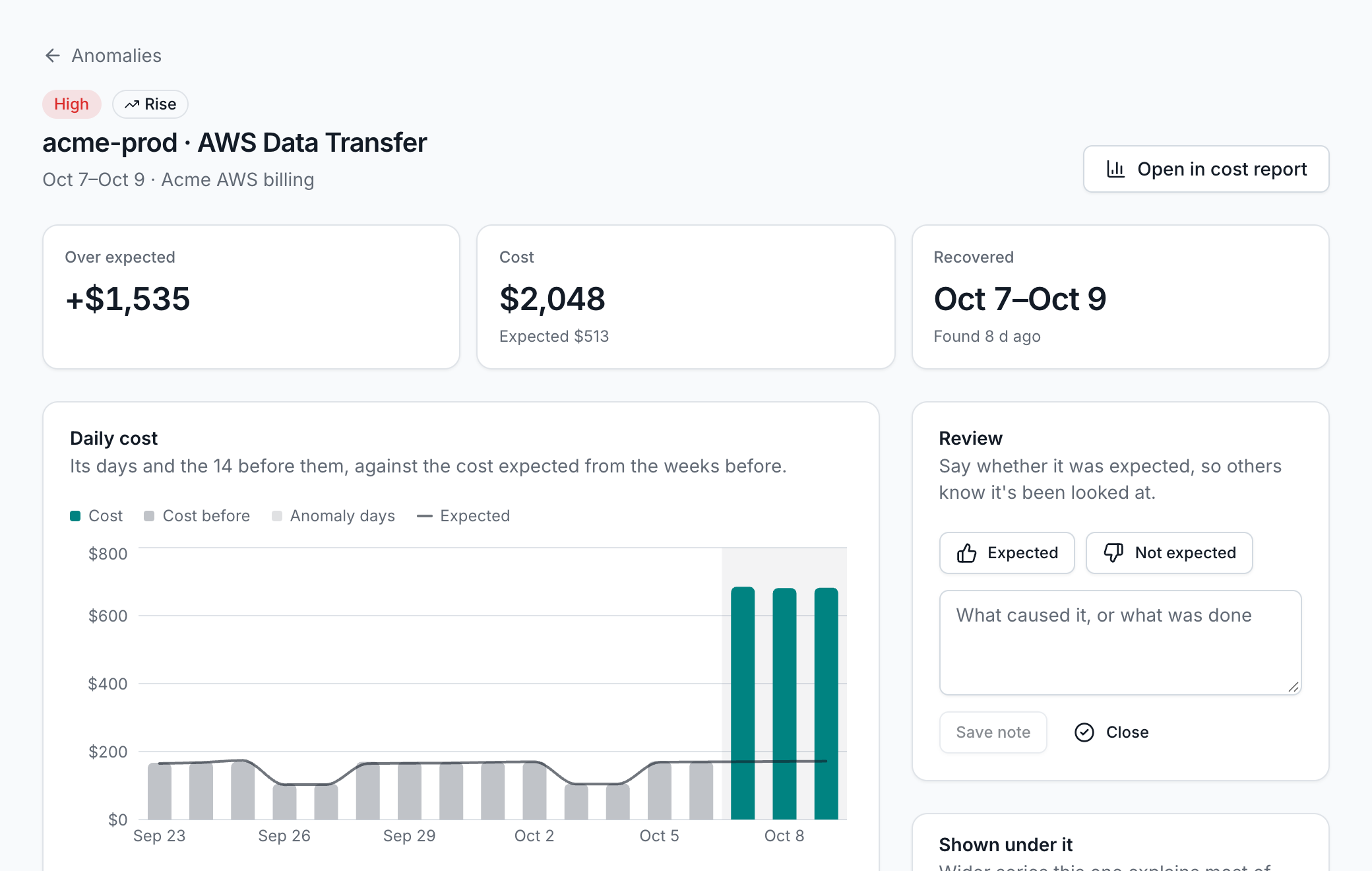
How it works
From sign-up to a searchable inventory
There is nothing to install. You grant read access, and AssetHermit does the collecting.
- 1
Register your organization
Choose your organization ID and where your data lives. Your team signs in at its own address, such as acme.app.assethermit.com.
- 2
Create workspaces
Keep Production, Staging or a subsidiary apart, each with its own clouds, members and data, in its own region.
- 3
Connect your clouds
Add an AWS Organization, GCP organization or Azure tenant, or a single account, and optionally its cost export. We check every permission as you connect.
- 4
Search, fix and follow
AssetHermit syncs on a schedule, or whenever you press Sync now. New accounts in a connected organization are picked up on the next sync.
What we collect
The core resource types of each cloud, mapped to one set of types. Anything we don't map yet is kept too, so you can still find it.
- Virtual machinecompute.vm
- Functioncompute.function
- Container clustercontainer.cluster
- Storage bucketstorage.bucket
- Diskstorage.disk
- Databasedatabase.instance
- Virtual networknetwork.vpc
- Subnetnetwork.subnet
- Load balancernetwork.load-balancer
- Public IPnetwork.public-ip
- Firewall rulesnetwork.firewall
- Identityidentity.principal
- DNS zonedns.zone
- Imagecompute.image
- Scaling groupcompute.scaling-group
- Workflowcompute.workflow
- Servicecontainer.service
- Registrycontainer.registry
- Imagecontainer.image
- Snapshotstorage.snapshot
- Backupstorage.backup
- File systemstorage.file-system
- Cachedatabase.cache
- Warehousedatabase.warehouse
- Queuemessaging.queue
- Topicmessaging.topic
- Streammessaging.stream
- Gatewaynetwork.gateway
- Route tablenetwork.route-table
- Interfacenetwork.interface
- Endpointnetwork.endpoint
- Connectionnetwork.connection
- Cdnnetwork.cdn
- Api gatewaynetwork.api-gateway
- Web firewallnetwork.web-firewall
- Recorddns.record
- Groupidentity.group
- Policyidentity.policy
- Credentialidentity.credential
- Provideridentity.provider
- Keysecurity.key
- Secretsecurity.secret
- Certificatesecurity.certificate
- Log groupmonitoring.log-group
- Alarmmonitoring.alarm
- Trailmonitoring.trail
- Repositorydevops.repository
- Pipelinedevops.pipeline
- Stackmanagement.stack
Security
The hermit only observes
AssetHermit is built to see your clouds, not to touch them.
Read-only
AssetHermit never creates, changes, tags or deletes anything in your cloud. It only reads.
No keys to hand over
AWS uses an IAM role with an External ID, GCP workload identity federation and Azure a managed identity with federated credentials. We store no secrets.
Templates you can read
What you deploy in your cloud is generated for each connection. When a release changes it, AssetHermit asks you to update it.
Permission checks
Every permission is checked as you connect and on every sync. A missing one is named, with the fix.
Isolated per organization
Each organization has its own sign-in, backend services, data tables and encryption keys, and each workspace its own again.
Your own sign-in
Your organization has its own user pool. People sign in with a password and an authenticator code, or with Google or Microsoft.
Your region
Your data stays in the region you choose: Stockholm, Ireland, N. Virginia. A workspace can keep its data in a region of its own.
An assistant that stays home
The AI assistant is off until an admin turns it on. It runs within your workspace's geography (the EU or the US), reads only what you may see and keeps conversations private.
Fixed addresses
Collectors reach your cloud from fixed IP addresses, which you can allowlist.
Take stock of your cloud
Start a 14-day free trial, no card needed. Connect a first cloud and see everything you run in one place.